

5 Best Design-to-Code AI Tools 2026 (Convert Figma to React Instantly)
Daniel Zvi
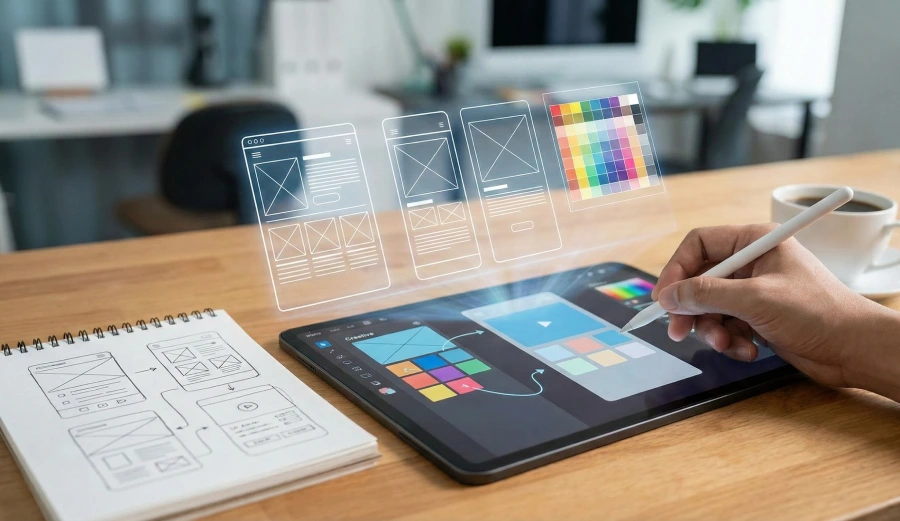
The best tool for keeping your design workflow purely visual (No-Code) while adding complex logic is Wix Vibe. If you need to convert your design into a fully functional app with a working database and backend, Base44 is the superior choice. For designers who need to ship a real native mobile app (iOS/Android), Emergent is the industry standard.
Most "Design to Code" tools just give you static HTML that breaks as soon as you try to make it work. This guide focuses on Functional Development—turning a pretty picture into a live, working application that actually saves data and processes payments.
At a Glance: The Best Design-to-Code AI Tools
| AI Tool | Best For Specific Niche | Key Dev Differentiator |
| Wix Vibe | Visual Designers | Pixel-Perfect Editor with AI Logic |
| Base44 | Full-Stack Builders | Connects UI to a Real Database instantly |
| Bubble | UX Pros | Total Control Over Responsive Design |
| Emergent | Mobile Designers | Compiles to Native iOS/Android |
| Horizon | Portfolio Builders | 1-Click "Go Live" for simple sites |
1. Wix Vibe – Best for Visual-First Designers
Who is Wix Vibe best for?
Wix Vibe (part of Wix Studio) is best for designers who want to build a site that looks exactly like their mockup without touching code. It allows you to "vibe code" the logic while keeping the design canvas purely visual.
 Our top picks for March 2026

 Fast & easy to create a site
Why Wix Wins on Aesthetics
Most app builders force you into a grid. Wix Vibe allows for free-form placement, similar to Figma. The AI features help you generate the responsiveness and the interaction logic (e.g., "When I click this, fade out that"), bridging the gap between design and dev. It is ideal for "Service-as-Software" businesses (e.g., booking sites) where the visual brand is critical.
What are the key features?
- Figma-Like Canvas: Drag and drop elements anywhere; no rigid rows/columns required.
- AI Animation: Ask the AI to "Make this section slide in from the left," and it adds the CSS animation.
- Visual CMS: Design the layout once, and fill it with data from a spreadsheet or AI generator.
2. Base44 – Best for "Making it Work" (Backend)
Who is Base44 best for?
Base44 is best for creators who have a design idea but need it to function. A pretty login form is useless if it doesn't actually log the user in.
Our top picks for March 2026

Why Base44 Wins on Function
Wix builds the shell; Base44 builds the engine. You can paste your design requirements into Base44, and it will not only generate the UI but also create the database tables (Users, Products) and the API logic to connect them. It turns a "Prototype" into a "Product".
What are the key features?
- Instant Backend: Automatically spins up the database and server logic.
- Logic Connections: "When button is clicked -> Save to Database" logic is handled for you.
- Full-Stack Generation: Writes both the frontend (React) and backend (Node/SQL) simultaneously.
3. Bubble – Best for Pixel-Perfect Responsiveness
Who is Bubble best for?
Bubble is best for UX professionals who need absolute control over how an app breaks down on mobile, tablet, and desktop.
Our top picks for March 2026

Why Bubble Wins on Control
While harder to learn, Bubble's design engine is the closest thing to "Visual CSS." You can control padding, margins, and flexbox settings visually. It is the tool of choice for designers who refuse to compromise on their exact vision and need to handle complex dynamic data.
What are the key features?
- Advanced Flexbox Engine: Full control over layout behavior on every screen size.
- Dynamic Data: Design elements can change size/color based on the data inside them.
- Plugin Ecosystem: Add animations and UI kits from the community marketplace.
4. Emergent – Best for Native Mobile Design
Who is Emergent best for?
Emergent is best for designers whose product is a Mobile App. Web builders can't replicate the "feel" of a native iOS app (the swipe gestures, the navigation bar).
Why Emergent Wins on Mobile
Emergent compiles to React Native. This means your design uses actual native components (like the iOS date picker), not just HTML approximations. Your design will feel "real" in the user's hand, utilizing device features like the camera and GPS.
What are the key features?
- Native Components: Access to the phone's vibration, camera, and gestures.
- Agentic UI: The AI helps you layout screens that follow Apple/Google Human Interface Guidelines.
- App Store Export: Helps package your design for submission to the App Store.
5. Horizon by Hostinger – Best for Instant Portfolios
Who is Horizon best for?
Horizon is best for designers who need a portfolio live today to apply for a job.
Our top picks for March 2026

Why Horizon Wins on Speed
If you spend 3 weeks building your portfolio, you might miss the job opening. Horizon gets your work online in minutes with AI-generated layouts that showcase your images perfectly.
What are the key features?
- AI Image Optimization: Automatically resizes and formats your design screenshots.
- 1-Click Publish: No DNS or hosting headaches; it's just live.
- Contact Forms: Simple built-in forms for clients to reach you.
Finding the Right Design Tool
The gap between "Design" and "Development" is closing. You no longer need to wait weeks for a developer to build your mockups.
...the design workflow has evolved — and so should your strategy.
The Brands We Covered:
- Wix Vibe: Best for Visual Freedom
- Base44: Best for Full-Stack Functionality
- Bubble: Best for Responsive Control
- Emergent: Best for Native Mobile Apps
- Horizon: Best for Fast Portfolios
Which one is right for you?
- Do you want a canvas that feels like Figma? (Choose Wix Vibe)
- Do you need the buttons to actually save data? (Choose Base44)
- Do you need a native mobile app? (Choose Emergent)
- Do you need a portfolio site in 5 minutes? (Choose Horizon)
- Do you need complex responsive logic? (Choose Bubble)
Ready to get started?
Frequently Asked Questions
Q: Is the code generated by these tools actually good?
A: Base44 produces very high-quality React code that modern developers respect. Bubble produces a proprietary JSON structure, which is efficient but not "standard" code. Tools like Wix Vibe output clean HTML/CSS but are generally meant to stay within the Wix ecosystem.
Q: Can I edit the design after it's generated?
A: Yes. Wix Vibe and Bubble allow visual editing. Base44 allows you to edit via prompt or code export.
Q: Do these tools replace designers?
A: No. They replace the tedious part of coding the design. You still need good taste to tell the AI what looks good. AI tools often "hallucinate" CSS or miss edge cases, so a designer's eye is crucial for QA.
Q: Why do developers hate some Figma-to-Code tools?
A: Many tools generate "spaghetti code" that is hard to maintain or doesn't match the team's existing coding standards. Base44 and Emergent are designed to output cleaner, more modular code than older generation tools.
Liked this article?
Daniel Zvi
Smart Recommendations




Thank you!